
RoomGPT AI - Interior Design
AZUR APPS FZ-LLCHouse & Home
4.5268.00 Reviews
- Version
- 100.1.23
- Installs
- 500.00K
- Age Rating
- Everyone
Screenshots
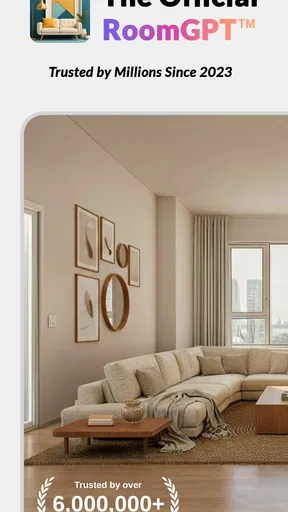
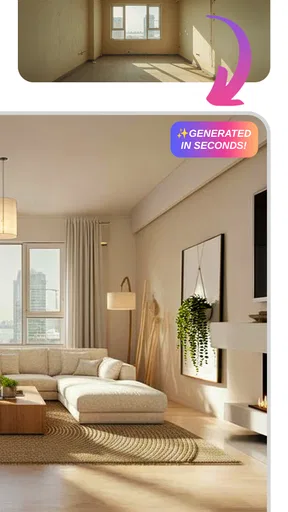
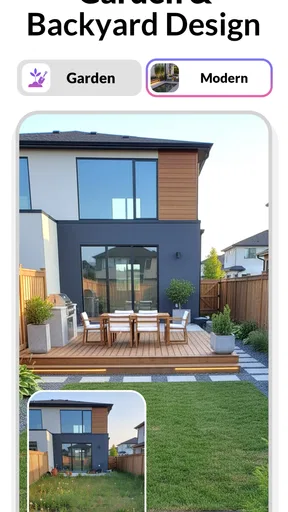
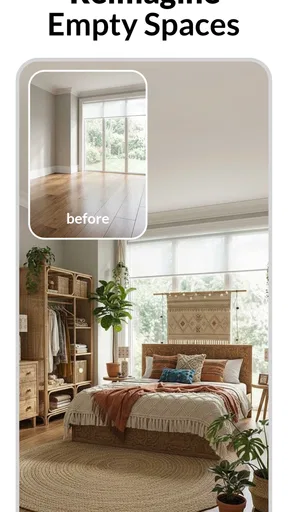
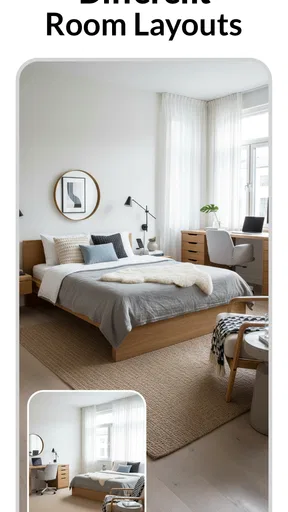
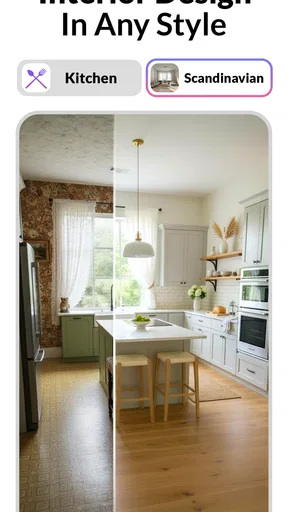
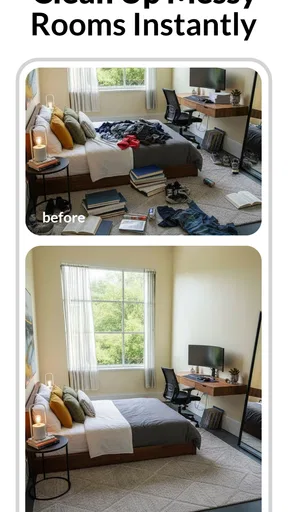
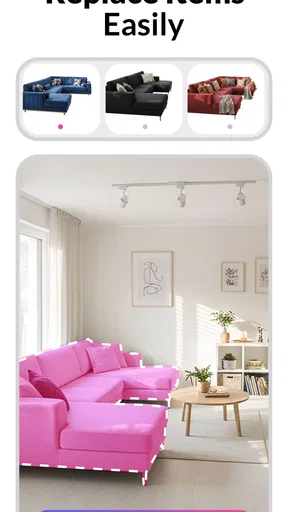
Our Review of RoomGPT AI - Interior Design
 Analysis by Appyee
When I’m stuck on a room, the hardest part is often not choosing furniture but picturing how a different look might feel in the space I already have. RoomGPT AI is built around that moment: it turns a room photo into a starting point for imagining a redesign. I find that useful when I need visual inspiration before moving furniture, shopping, or committing to a larger change.
A quick visual reset, not a finished design plan
The main appeal is the direct link between your own room and the ideas you see. Rather than browsing generic interiors and trying to mentally adapt them, you begin with a photo of your space and explore AI-generated design directions. That shift can make an abstract thought—“maybe this room could feel warmer”—much easier to judge at a glance.
I’d treat the result as a mood-setting preview, not a construction drawing or a promise that every object can be bought exactly as shown. A visual concept can help you notice whether you prefer a lighter, calmer look or a more expressive one, but it cannot replace checking dimensions, materials, lighting, or your budget in person. The strongest use is narrowing down a direction before making real-world decisions.
How I’d use a room photo well
I’d start with a photo that shows as much of the room as possible, taken from a position where the main layout is easy to understand. Before taking it, I’d tidy away loose items that could distract from the walls, floor, and larger furniture. This is not about staging a perfect home; it is about giving the app a clear view of what I actually want to rethink.
Then I’d compare styles with a specific question in mind. Instead of asking which image looks prettiest, I might ask whether a softer palette makes a small room feel more restful, or whether a bolder look still works with the furniture I plan to keep. That makes the visual options more useful and helps prevent an attractive result from becoming an impractical shopping list.
Where the quick inspiration helps most
For me, the best everyday scenario is a room that feels tired but does not need a full renovation. Imagine looking at a spare room that has become a catch-all space: you want it to work better for guests, but you are unsure whether to keep the current furniture or start over. A few visual directions can help you decide what feeling you want before spending a weekend rearranging everything.
It can also be handy when you are discussing a room with someone else. A generated concept gives you something concrete to react to, which is often easier than trying to explain a color or style in words. I would still treat the image as a conversation aid rather than a precise plan, especially if the room has awkward corners or furniture that must stay.
The trade-off: inspiration is not precision
AI room images can look convincing while glossing over practical details. A suggested arrangement may not respect the exact size of your furniture, and an appealing color in a rendered image may look different under your home’s real lighting. I would not buy a large item or paint a whole room solely because a preview made it look good. Use it to develop a shortlist, then check measurements, samples, and everyday needs yourself.
The same caution applies to the product recommendations described in the app experience. They can help you think about what kinds of pieces might complete a look, but I’d compare any candidate with your own requirements for dimensions, durability, and cost. Inspiration is valuable; an image alone cannot tell you whether a sofa will fit through the doorway or stand up to daily use.
Who should try it—and who may prefer another route
RoomGPT AI is a sensible fit if you want an accessible way to explore room styles, have a photo ready, and prefer visual prompts to reading long decorating guides. It is especially useful for renters or homeowners making low-risk choices such as refreshing a color direction, reconsidering a room’s mood, or deciding which existing pieces to keep.
If you need accurate floor plans, measured layouts, detailed renovation guidance, or a professional’s eye for structural constraints, I’d choose a dedicated planning tool or consult a designer instead. Traditional design apps that focus on placing measured furniture can be better for testing whether a layout fits, while image-led inspiration is better for asking, “Would I like this room to feel this way?” Those are related needs, but they are not the same job.
Transform Your Space with AI
So, how does RoomGPT AI actually help you redesign your space? The app uses advanced AI technology to analyze your room and provide you with tailored design suggestions. You start by snapping a picture of the room you want to transform. The app then works its magic, offering a variety of design styles that suit your space.
What’s awesome is the range of styles you can choose from. Whether you’re into minimalist chic or more into bohemian vibes, RoomGPT AI has got you covered. It’s like having a catalog of design ideas at your fingertips, ready to inspire your next home makeover.
User-Friendly Interface
Navigating through the app is a breeze. The interface is clean and intuitive, which means you won’t get lost trying to find what you need. Once you upload your photo, you’ll be guided through a series of simple steps to find the perfect design style. Trust me, even if you’re not a tech-savvy person, you’ll find this app super easy to use.
Plus, the app doesn’t just throw random suggestions at you. It considers the existing elements in your room and suggests changes that complement what you already have. This personalized touch is what sets RoomGPT AI apart from other design apps out there.
Customizable Options
One of my favorite features is the ability to customize the suggestions. You’re not just stuck with what the AI suggests. You can tweak things around, play with color palettes, and even swap out furniture pieces. It’s like having a sandbox where you can experiment with different looks until you find the one that feels just right.
The app also provides a list of recommended products if you want to purchase new items to complete your look. This makes the transition from virtual to reality seamless, saving you time and effort in finding the right pieces for your space.
Why You’ll Love It
So why should you give RoomGPT AI a try? Well, if you’re someone who loves interior design but doesn’t have the time or resources to hire a professional, this app is a game-changer. It’s cost-effective, easy to use, and provides a wealth of inspiration.
Whether you’re redecorating a single room or your entire house, RoomGPT AI offers a convenient solution that fits in the palm of your hand. It’s like having a design assistant that’s ready to help whenever you need it.
Final Thoughts
In a nutshell, RoomGPT AI is a must-have for anyone looking to spruce up their living space without breaking the bank. It’s innovative, user-friendly, and packed with features that make interior design accessible to everyone. So why not give it a whirl and see how it can transform your home? You might just find the inspiration you’ve been searching for.
What to expect before you begin
RoomGPT AI is a free House & Home app from Evolution Games - Idle Merge, with in-app purchases listed from $4.99 to $74.99 per item. I would approach that pricing with a simple plan: use the free experience to decide whether its photo-based ideas genuinely help you, and only consider a purchase if you understand what it unlocks and expect to use it. The app is rated for Everyone, but that speaks to its audience rating, not to whether its suggestions are suitable for every home or renovation decision.
The app has a 4.6 average from around 7.8K ratings and more than 100K installs. Those figures suggest it has found an audience, but they cannot tell you whether its visual approach suits your taste. I’d judge it by whether the results help you make a decision you were otherwise postponing. Its current version is 100.0.94, and it runs on Android 7.0 or later.
Make the comparison useful, not just attractive
A practical trick is to decide on one constraint before generating ideas: perhaps the bed must stay, the room needs to remain easy to clean, or you are not willing to change the flooring. Then look at each result for the parts that could work within that boundary. This turns the app from a source of pretty pictures into a filter for your own priorities. It also keeps a dramatic redesign from persuading you to replace items that are perfectly serviceable.
Compared with browsing furniture catalogs, the photo-led approach is more personal because the starting point is your own room rather than a styled showroom. Compared with measured room-planning software, it is less suited to proving that a particular layout fits. I see those tools as complementary: use RoomGPT AI to explore a visual mood, then use a tape measure or a layout-focused tool to test the practical arrangement. If your main question is “Will this desk fit beside the door?”, the second step matters more than another appealing render.
Small choices that improve the workflow
I would save or note the parts of a concept I like instead of treating one complete image as a package deal. Maybe the useful idea is a calmer wall color, while the proposed furniture is wrong for the room. Separating those choices makes it easier to take inspiration without feeling that you must copy the entire scene. It also gives you a more realistic brief when you later look for actual items.
For a shared room, I’d ask the other person to react to one question at a time: does the room feel too formal, too dark, or too busy? This avoids turning the preview into a vague vote on which picture is “best.” If different people want different things, the app can help expose that disagreement early, but it cannot settle practical compromises such as storage needs, accessibility, or who uses the room most.
It is also worth comparing ideas against the room at different times of day. A digital image cannot reproduce every condition in your home, so I would use it to choose a direction and then check paint or fabric samples where they will actually be seen. That extra pause is especially helpful before spending on large, hard-to-return purchases.
When another option is the better choice
I would skip this app if I needed a dependable renovation specification, exact product matching, or confidence that a proposed arrangement meets a tight set of measurements. It is not a substitute for professional advice when a project involves structural work, wiring, plumbing, or other technical decisions. Those needs call for a qualified person or a tool designed around measured plans, not a fast visual concept.
It may also be less satisfying if you already know exactly what you want and simply need a shopping list, or if you prefer to make design decisions by handling real samples rather than viewing generated images. In those cases, visiting stores, consulting a designer, or using a precise planning app could save time. The value here is greatest when you have a room photo and an open question about its overall look.
My take for a first try
For a low-stakes refresh, I’d begin with one room and one decision rather than trying to redesign the whole home at once. Pick a space that feels unfinished, take a clear photo, and use the available style ideas to identify what you want to change. Then write down the parts that are realistic to keep, check measurements before shopping, and treat product suggestions as leads to investigate rather than automatic recommendations.
That is where RoomGPT AI earns its place for me: it can make the first step of decorating less intimidating by giving an uncertain idea a visual form. Its limits are just as important as its appeal. It offers inspiration and a way to experiment, not a guarantee of fit, quality, or a finished room. If that distinction matches what you need, it is a convenient starting point; if accuracy and planning are the priority, I’d reach for a more measurement-focused option.
Privacy and Permissions
See what permissions an app requests and how it handles your data.
- Photos/Media/Files
- read the contents of your USB storage, modify or delete the contents of your USB storage
- Storage
- read the contents of your USB storage, modify or delete the contents of your USB storage
- Camera
- take pictures and videos
- Other
- view network connections, full network access, control vibration, prevent device from sleeping, read Google service configuration
Verdict
Strengths of RoomGPT AI - Interior Design
- User-friendly interface for easy navigation.
- Generates design ideas swiftly and efficiently.
- Offers a variety of style options.
- No prior design experience needed.
- Compatible with both Android and iOS.
Limitations of RoomGPT AI - Interior Design
- Limited free features; premium needed for more.
- May require a stable internet connection.
- Occasional inaccuracies in design suggestions.
- Lacks personalized customization options.
- Some users report slow updates and bug fixes.
Similar Picks in This Category
View All
Universal TV Remote Control
CodeMatics Media Solutions3.9

AlfredCamera Home Security app
Alfred Systems Inc.4.7

Planner 5D: AI Home Design
Planner 5D4.5

Universal Tv Remote-Cast to TV
One Music Player4.1

Zillow: Homes for Sale & Rent
Zillow Group4.8

99acres Buy/Rent/Sell Property
infoedge.com4.3
Frequently Asked Questions
What is RoomGPT AI and how does it work?
RoomGPT AI is an interior design app that leverages artificial intelligence to help users redesign their living spaces. By uploading a photo of a room, the app generates various design suggestions tailored to the user's preferences. It uses machine learning algorithms to analyze room aesthetics and provide optimal decor solutions.
Is RoomGPT AI available for both Android and iOS devices?
Yes, RoomGPT AI is available for download on both Android and iOS platforms. Users can find the app on the Google Play Store and the Apple App Store, ensuring it is accessible to a wide range of smartphone users. The app's interface is designed to be user-friendly on both operating systems.
Does RoomGPT AI require an internet connection to function?
Yes, an internet connection is necessary for RoomGPT AI to function effectively. The app relies on cloud-based processing to analyze images and generate design suggestions. Therefore, users need to be connected to Wi-Fi or mobile data to take full advantage of its features.
Are there any costs associated with using RoomGPT AI?
RoomGPT AI offers both free and premium versions. The free version includes basic features and a limited number of design suggestions. For users seeking more advanced tools and unlimited design options, a premium subscription is available. Pricing details can be found within the app.
Can RoomGPT AI accommodate various interior design styles?
Absolutely. RoomGPT AI is designed to cater to a wide range of interior design styles, from minimalist to bohemian, modern to classic. Users can input their style preferences and the app will tailor its suggestions accordingly, ensuring personalized and relevant design ideas for each user.
